- No products in the cart.




THE COMPLETE UK HOME WORKER’S GUIDE TO CHOOSING AND USING CORNER DESKS FOR MAXIMUM PRODUCTIVITY

24
Apr
If you work from home in the United Kingdom, you have likely faced the same spatial dilemma as countless others. Your spare bedroom is shrinking. The dining table is no longer a viable long-term solution. And that compact home office alcove feels more like a cramped cupboard than a creative cockpit. The answer to this awkward geometry often lies in one of the most space-intelligent furniture categories available today: corner desks. Unlike traditional rectangular workstations that demand a dedicated wall and a clear footprint, corner desks are specifically engineered to nestle into the underutilised corners of a room, transforming dead zones into dynamic work hubs. This comprehensive guide is written exclusively for the UK home worker, remote professional, or small business owner who needs to maximise every square metre of their property without compromising on ergonomics, storage, or style. We will explore the practical benefits of corner desks, the different configurations available on the UK market, how to select the correct size for your room, materials that withstand British humidity and daily wear, assembly considerations, and a detailed breakdown of how to organise your corner desk setup for peak workflow efficiency. By the end of this article, you will possess all the knowledge required to select, install, and optimise a corner desk that not only fits your space but actively enhances your work output.
WHY CORNER DESKS DOMINATE THE UK HOME OFFICE LANDSCAPE
The popularity of corner desks in British homes is not a coincidence. It is a direct response to the architectural reality of the average UK property. Victorian terraces, 1930s semis, and even modern new-build flats all share one common feature: an abundance of corners and a scarcity of uninterrupted wall space. Radiators, windows, doors, and chimney breasts fragment available wall lengths, making a standard straight desk impractical. Corner desks exploit these fragmented spaces. By sitting diagonally across a corner, or by fitting flush against two perpendicular walls, a corner desk creates a large continuous work surface from an area that would otherwise accommodate only a small side table. Furthermore, corner desks offer a psychological benefit. Positioning your workstation in a corner can reduce the feeling of being in a thoroughfare. You face into the room or towards a wall, which minimises distractions from household activity. For parents working from home while children are present, this subtle reorientation of focus is invaluable. Corner desks also naturally encourage a better peripheral equipment layout. Screens can be centred, while printers, document trays, and reference materials sit within easy reach on the side wings. This triangular workflow zone reduces the need to swivel or stretch, lowering fatigue over a long working day.
UNDERSTANDING THE THREE PRIMARY CONFIGURATIONS OF CORNER DESKS
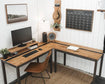
Before you purchase any corner desks, you must understand the three main shape categories. The first is the classic L-shaped corner desk. This consists of two rectangular surfaces joined at a 90-degree angle. One leg is typically longer than the other, or both are equal. The L-shape works best when you need a dedicated primary work zone and a secondary zone for a laptop, writing, or assembly work. Many UK buyers prefer the L-shape because it fits flush against two walls, leaving the corner itself empty or occupied by a monitor stand. The second configuration is the triangular or sector-shaped corner desk. Here, the work surface is a quarter-circle or a polygon with a blunted front edge. This desk sits diagonally across the corner. Its primary advantage is depth. A triangular corner desk can provide an enormous central area for multiple monitors, yet its wings are shorter, making it suitable for tighter spaces where an L-shape would extend too far along the walls. The third configuration is the corner standing desk. This is a relatively new but rapidly growing segment. These corner desks combine the space-saving corner fit with electric or manual height adjustability. A corner standing desk is ideal for the UK worker who wants to alternate between sitting and standing throughout the day to combat sedentary behaviour. However, note that corner standing desks are almost always L-shaped or rectangular with a cut-out corner, rather than true triangles, because the lifting mechanism requires a stable rectangular base.
MEASURING YOUR UK SPACE FOR A CORNER DESK
One of the most common mistakes when buying corner desks is failing to account for the actual wall lengths available. You cannot simply measure the diagonal distance across the corner. You need two precise measurements. First, measure along each wall from the corner outwards. Look for obstacles like light switches, plug sockets, skirting boards, and radiators. A corner desk that extends 120 centimetres down the left wall is useless if a radiator occupies the first 80 centimetres. You also need to measure the height of any skirting boards or coving. Many corner desks are designed with a cut-out or a spacer block to accommodate skirting, but cheaper models assume perfectly flush walls, which rarely exist in older UK properties. Second, measure the room depth from the corner diagonally into the room. This determines how far the desk will project. For a standard triangular corner desk, the projection can be significant. A desk with 80-centimetre sides will project roughly 113 centimetres into the room from the corner point. Ensure this does not block a doorway or a walkway. Third, consider your own body measurements. When seated at most corner desks, your chair will need approximately 70 to 90 centimetres of clear width in front of the desk curve or angle. If you place the desk in a small box room, you might find your chair backs into a bed or shelving unit. Always map out the desk footprint using masking tape on the floor before ordering.
MATERIAL CHOICES FOR CORNER DESKS: DURABILITY AND AESTHETICS
The material of your corner desk profoundly affects its longevity, maintenance, and visual harmony with your home. The most common material across UK retail is engineered wood, often sold as MDF with a melamine or laminate finish. This is affordable, available in many colours from light oak to slate grey, and resistant to minor scratches. However, low-density MDF corner desks can sag over time if you place heavy equipment like a large monitor or a desktop computer on the unsupported inner corner of an L-shape. Look for desks with a thickness of at least 18 millimetres and a central support leg or a steel frame. Solid wood corner desks are the premium choice. They offer unmatched durability and the ability to be sanded and refinished if damaged. British homeowners often prefer solid oak or walnut for a traditional study look. The downside is cost and weight. Solid wood corner desks are heavy, which makes them difficult to manoeuvre up narrow UK staircases. They are also more sensitive to humidity changes. A solid wood desk placed against an external wall in a poorly ventilated room may warp slightly. Metal and glass corner desks are the third category. These have a modern, industrial appearance. A steel frame with a tempered glass top feels spacious because the transparency reduces visual clutter. However, glass shows fingerprints, dust, and reflections from overhead lighting. It can also be uncomfortably cold for wrists during winter months. For most UK home workers, a high-quality laminate over moisture-resistant MDF, paired with a robust steel underframe, offers the best balance of price, practicality, and aesthetics.
ERgONOMICS AND CORNER DESKS: PROTECTING YOUR BODY DURING LONG HOURS
A poorly chosen desk can lead to chronic neck pain, wrist strain, and lower back problems. Corner desks, when set up correctly, can actually improve ergonomics compared to straight desks because they allow you to position your keyboard and mouse centrally while keeping reference materials to the side. However, there are specific ergonomic pitfalls unique to corner desks. The first pitfall is the “corner wedge problem.” On a triangular corner desk, the deepest part of the desk is in the corner, not in front of you. If you place your keyboard directly against the curved front edge, you may end up reaching too far forward for your mouse. To solve this, position your chair slightly off-centre so that your primary work zone is on one of the wider flats of the triangle. Alternatively, use a separate keyboard tray that pulls out towards you. The second pitfall is monitor placement. On an L-shaped corner desk, do not place your main monitor directly in the corner unless you are using a corner mount. The corner angle will force you to twist your neck to look straight. Instead, position your main workstation on one leg of the L, ideally the deeper leg, and use the other leg for supplementary tasks. The third pitfall is leg clearance. Many corner desks have a central support leg or a modesty panel that can restrict your leg movement. Before buying, verify the under-desk clearance. You need at least 70 centimetres of width for your chair and 65 centimetres of depth from the front edge to any obstruction. If you use a footrest, add an extra 10 centimetres of depth.
STORAGE SOLUTIONS INTEGRATED INTO CORNER DESKS
Storage is often an afterthought, but the best corner desks incorporate clever storage that reduces desktop clutter. Look for corner desks with integrated shelving. Some designs feature a raised hutch that sits on the desktop, providing cubbies for books and a space for a monitor. Others have a shelf that hangs underneath the desk surface, creating a slide-in drawerless storage area for a keyboard or tablet. Drawers are another consideration. Corner desks with built-in drawers are practical, but be aware that drawers on the return leg of an L-shaped desk may be inaccessible if the desk is pushed into a tight corner. A better solution is a corner desk with a single, wide drawer mounted on ball-bearing slides directly in front of your seating position. This keeps pens, notepads, and chargers within finger reach. For file storage, consider whether you need a hanging file drawer. Many corner desks are too shallow from front to back to accommodate A4 suspension files. If you require filing, prioritise a corner desk with a 60-centimetre or greater depth, or plan to use a separate filing cabinet on wheels that can tuck under the longer wing of the L-shape. Open shelving built into the corner desk design can be useful for displaying reference books, but avoid filling these shelves with heavy items that could cause the desk to tip forward if it is not anchored to the wall.
CABLE MANAGEMENT FOR CORNER DESKS: A UK SAFETY PRIORITY
Cable management is disproportionately difficult with corner desks because cables from multiple devices converge in an angled space. The result is often a tangled nest of wires behind the desk that collects dust and poses a trip hazard. To maintain a professional home office, you need a systematic approach. Firstly, choose a corner desk that includes built-in cable management features. The most effective is a large grommet hole positioned near the corner point. From this hole, you can drop all monitor, computer, and charger cables into a cable tray mounted underneath the desk. Secondly, avoid using multiple extension leads daisy-chained together. This is contrary to UK electrical safety advice. Instead, use a single surge-protected extension lead with a long enough cable to reach your wall socket. Mount this extension lead underneath the desk using heavy-duty adhesive pads or screw clips. Thirdly, label each cable at both ends before you feed them through the management system. This saves enormous frustration when you need to disconnect a single device. For corner desks positioned away from a wall socket, consider having a qualified electrician install an additional socket behind the desk. This is a relatively inexpensive upgrade that eliminates visible cables entirely. Finally, use spiral cable wrap or self-adhesive cable clips to bundle wires along the desk legs. Do not let cables hang loosely behind the desk where they can be snagged by a vacuum cleaner or a child’s toy.
ASSEMBLY CONSIDERATIONS FOR CORNER DESKS IN UK HOMES
Assembling corner desks is notoriously more complex than straight desks because of the angled joining plates and the need for perfect wall alignment. Before you even open the box, clear the entire room and lay a soft blanket on the floor to protect the desk panels. Read the entire manual first. Many corner desk manuals show an exploded diagram without written steps. Pay close attention to which screws are used for the corner bracket. Overtightening can strip the pre-drilled holes in MDF, permanently weakening the joint. You will almost certainly need a second person to help you. The L-shaped corner desks are especially awkward to flip upright after assembly. A second person prevents the desk from twisting and cracking the corner joint. Another tip for UK buyers: check whether your corner desk uses cam lock nuts and dowels. These are common in flat-pack furniture. The cam locks must be oriented precisely at the 12 o’clock position before you insert the screw. If they are misaligned, the lock will not engage, and your desk will wobble. After assembly, place the corner desk in its final position before tightening all screws fully. This allows the desk to settle against your specific walls. If there is a gap because of uneven plaster or a protruding skirting board, use rubber shims or furniture levellers under the desk feet. Do not force the desk flat against the wall by over-tightening the corner bolts, or you will split the wood.
LONG-TAIL KEYWORD STRATEGIES FOR FINDING CORNER DESKS
When you search for corner desks online, the results can be overwhelming. To filter effectively, use long-tail search terms that match your exact constraints. For a small home office in a city flat, search for “small corner desks for tight spaces UK” or “compact L shaped corner desks under 100cm”. For a professional setup with multiple monitors, use “heavy duty corner desks for large screens” or “corner standing desks with cable management”. For a traditional aesthetic, try “solid wood corner desks UK handmade” or “vintage style corner writing desks”. For a budget below one hundred pounds, search for “budget corner desks under 150 UK”, but be realistic about quality. For a corner desk that must fit around a radiator, search for “corner desks with radiator clearance” or “open back corner desks for wall vents”. Using these precise phrases will surface products that match your needs far better than a generic “corner desk” search. Additionally, use UK-specific spelling and terms. Search for “colour” not “color”, “metres” not “feet”, and “mains socket access” not “outlet clearance”.
MAINTAINING YOUR CORNER DESK FOR LONGEVITY
A corner desk is an investment. Proper maintenance will keep it functional and attractive for a decade or more. For laminate and melamine surfaces, clean weekly with a soft microfiber cloth and a solution of washing-up liquid and warm water. Avoid abrasive sprays or scouring pads, which will remove the gloss layer and make the surface vulnerable to moisture ingress. For solid wood corner desks, use a specialised beeswax polish every three months. Beeswax repels minor spills and nourishes the grain. Always wipe up any liquid immediately, especially tea or coffee, which can stain light woods. For metal frames, check the bolts and cam locks every six months. Vibration from typing and using a mouse can loosen joints over time. Use a hex key to gently tighten any loose fasteners, but do not overtighten. For height-adjustable corner standing desks, lubricate the lifting columns annually with a dry PTFE spray. Do not use oil-based lubricants, which attract dust. Finally, protect the front edge of your corner desk from the oil and salt from your hands. Over months, the front edge can darken. Attach a transparent vinyl edge protector or simply wipe the edge daily with a dry cloth.
ORGANISING YOUR CORNER DESK FOR DEEP WORK
The physical arrangement of items on your corner desk directly influences your concentration and efficiency. Adopt the zone method. Divide your corner desk into three zones: the prime zone directly in front of you, the secondary zone to your dominant hand side, and the peripheral zone to your other side. In the prime zone, place only your keyboard, mouse, and the single most important task item for the current hour. Do not clutter this zone with phones, coffee cups, or paperwork. In the secondary zone (to your right if you are right-handed), position your main monitor or laptop screen slightly angled towards you. Also place a small notebook and pen for rapid capture of ideas. In the peripheral zone (to your left for most people), put a tray for incoming documents, a water bottle, and a phone stand. Never place a printer on a corner desk. Printers vibrate and take up valuable surface area. Put the printer on a separate stand or shelf nearby. For a corner desk with a hutch, use the top shelf for items you need to see but not touch frequently, such as a clock, a plant, or a reference book. Use the lower shelf for a document holder at eye level. This reduces neck strain when typing from a printed source.
LIGHTING AND CORNER DESKS IN UK HOMES
Corner desks often sit in the darkest part of a room because corners naturally receive less ambient light from windows. Inadequate lighting causes eye strain and drowsiness. Solve this with task lighting. A bendable LED desk lamp with a clamp base is ideal for corner desks because the lamp arm can reach over the angled surface without taking up floor space. Position the lamp so it illuminates your keyboard and documents without shining directly into your eyes or creating a glare on your monitor screen. For corner desks with a hutch, under-shelf LED strip lights provide excellent shadow-free illumination. Choose a colour temperature of 4000 Kelvin (neutral white) for general work, or 3000 Kelvin (warm white) for evening work to reduce blue light exposure before sleep. Do not rely on overhead ceiling lights alone, as they will cast your head’s shadow directly onto the work surface. Additionally, consider the placement of your corner desk relative to windows. If you place it in a corner that receives direct morning sunlight, use adjustable blinds or a monitor hood to combat glare. If the desk is in a north-facing corner, supplement with a full-spectrum daylight bulb in your task lamp to mimic natural light and support circadian rhythms.
PSYCHOLOGICAL BENEFITS OF A WELL-DESIGNED CORNER DESK SETUP
Beyond the practical and ergonomic advantages, a thoughtfully chosen corner desk contributes to a sense of psychological containment. In open-plan homes where work and living spaces merge, the corner desk acts as a visual boundary. When you sit at a corner desk that faces a wall or an angle, your peripheral vision is naturally restricted. This reduction in visual distractions lowers cognitive load and makes it easier to enter a state of deep focus. Furthermore, the act of physically turning into a corner can signal to your brain that you are entering “work mode.” This environmental cue is powerful for those who struggle with work-life separation when working from home. Over time, your corner desk becomes an anchor for productive behaviour. To enhance this effect, keep the corner desk clean and uncluttered at the end of each workday. A single, small indoor plant on the desk has been shown in environmental psychology research to reduce stress and increase creative problem-solving. Choose a low-light plant such as a snake plant or a ZZ plant, as corners are typically dimmer than central room areas.
COMPARING CORNER DESKS TO OTHER SPACE-SAVING ALTERNATIVES
It is worth understanding how corner desks compare to other compact workstation solutions. A wall-mounted drop-leaf desk takes up no floor space when closed, but it offers very little surface area and cannot support heavy equipment. A portable laptop stand on a side table is temporary and fails to provide a consistent ergonomic setup. A straight desk along the longest wall might seem simpler, but it usually consumes more linear floor space and pushes you into a high-traffic area. Corner desks occupy square metres that are otherwise unusable. They also naturally accommodate a wider monitor or dual monitors because the wings provide lateral space that a straight desk of the same width cannot offer. For the UK home worker who has no dedicated study, a corner desk fitted into a living room corner is far more unobtrusive than a large straight desk protruding into the room. The corner placement also allows you to hide some desktop clutter from view when you enter the room because the angled surface reflects less towards the doorway. In a bedroom office, a corner desk placed in the alcove beside a wardrobe or chimney breast leaves the central floor area clear for other furniture or exercise space.
FREQUENTLY ASKED QUESTIONS ABOUT CORNER DESKS
How much weight can a typical corner desk hold?
A standard laminate corner desk with a 15 millimetre MDF top and a central support leg can hold approximately 50 to 75 kilograms distributed evenly. Solid wood corner desks can hold 100 kilograms or more. Always check the manufacturer’s specified weight limit. Do not exceed 30 kilograms on any unsupported corner wing.
Are corner desks difficult to move to another room?
Yes, most corner desks are heavier and more awkward to move than straight desks because of their asymmetrical shape. Disassemble the desk into its major panels (two wings and the corner bracket) before moving through doorways. Keep all screws and cam locks in a labelled bag. For L-shaped corner desks, you may need to remove the legs as well to fit around a UK staircase banister.
Can I use a corner desk with a chair that has armrests?
It depends. Triangular corner desks with a curved front often have a tight clearance between the desk edge and the chair. Armrests can collide with the desk sides. L-shaped corner desks with a straight front edge on each leg are more armrest-friendly. Measure the chair’s total width including armrests and compare to the desk’s internal leg clearance.
What is the ideal height for a corner desk?
Standard desk height in the UK is 72 to 74 centimetres from floor to desktop. This suits a person of average height (170 to 180 centimetres) when using a standard office chair with armrests. If you are taller than 185 centimetres, look for adjustable height corner desks or add risers under the desk legs. If you are shorter than 160 centimetres, a footrest and an adjustable chair are more effective than a lower desk.
Do corner desks wobble more than straight desks?
Potentially, yes. Because corner desks have a longer unsupported span diagonally, they can wobble if the corner joint is weak or if the floor is uneven. To reduce wobble, tighten all bolts after the desk is positioned. Use felt furniture pads under the feet. For heavy wobble, attach a metal L-bracket behind the desk into a wall stud, but only if you own the property or have permission.
Can I convert my existing straight desk into a corner desk?
Not easily. Some UK retailers sell separate corner desk extensions that bolt onto an existing straight desk. However, these often look mismatched and may not align with the original desk’s height. A better solution is to buy a purpose-built corner desk. Alternatively, place two straight desks at a right angle, but the gap in the corner will be inefficient and visually unappealing.
Are corner desks suitable for gaming setups?
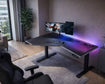
Absolutely. Corner desks are very popular for gaming because they support multiple monitors on the wide surface and provide space for a large mouse pad. Look for a corner desk with a deep centre section (at least 80 centimetres front to back) to accommodate a full-size keyboard, mouse, and a joystick or steering wheel peripheral without crowding.
How do I clean the hard-to-reach back corner of a corner desk?
Pull the desk away from the wall every three months. Use a long-handled duster or the brush attachment of a vacuum cleaner to remove dust webs. For laminate desks, wipe the back edges with a barely damp cloth. For solid wood, use a dry cloth. Never leave moisture against the back edge where it meets the wall, as this encourages mould growth in poorly ventilated UK rooms.
What is the average delivery time for corner desks in the UK?
Ready-assembled corner desks delivered by a two-person team typically take 2 to 4 weeks. Flat-pack corner desks from major online retailers usually arrive within 3 to 7 working days via parcel courier. Always check the delivery dimensions. Some L-shaped corner desk boxes are longer than 150 centimetres and may incur a surcharge for couriers that charge by length.
Can I return a corner desk if it does not fit my space?
Most UK online retailers accept returns within 14 days of delivery for flat-pack corner desks, provided the box is unopened. If you have assembled the desk, you may only be eligible for a return if the product is faulty. Always measure your space with masking tape on the floor and wall before ordering. For bespoke or made-to-order solid wood corner desks, returns are rarely accepted.