- No products in the cart.




L SHAPED DESKS: THE COMPLETE UK GUIDE TO CREATING A SMARTER, MORE SPACIOUS WORKSPACE

18
Aug
Creating a comfortable and productive workspace is about much more than simply finding somewhere to put a computer. Whether you work from home full-time, have a dedicated gaming setup, manage paperwork, study, run a business or simply want to make better use of an awkward corner, the shape and layout of your desk can completely change how practical the room feels.
L shaped desks have become an increasingly popular choice for UK home offices, bedrooms, studies and commercial workplaces because they provide a generous amount of usable desktop space without necessarily requiring a huge room. By extending the work surface in two directions, they can transform an otherwise unused corner into a highly functional workstation.
The additional surface area can make it easier to separate different activities, accommodate multiple monitors, organise office equipment and keep everyday essentials within easy reach. At the same time, positioning a desk into a corner can free up valuable floor space elsewhere in the room.
However, not every desk will suit every space. Size, orientation, storage, monitor positioning, available legroom and room dimensions all need to be considered before choosing a new workstation.
This detailed UK guide explains everything you need to know about l shaped desks, including their advantages, ideal uses, sizing considerations, room placement, storage options, home office layouts and practical ways to create a more efficient workspace.
What Are L Shaped Desks?
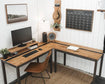
L shaped desks are workstations made up of two connected desktop sections positioned approximately perpendicular to one another, creating the distinctive L-shaped configuration.
One section will usually act as the main working area, while the second provides additional surface space extending to the left or right.
This arrangement creates significantly more usable workspace than many conventional straight desks.
Depending on the design, the two sections may be similar in length or one side may be noticeably longer than the other. Some models also incorporate drawers, cupboards, shelves or additional storage beneath the desktop.
The fundamental advantage is straightforward: rather than having one long work surface stretching across a wall, you gain two connected working zones.
For example, you might use the main section for your computer and monitors while keeping paperwork, notebooks or other equipment on the return section.
This makes l shaped desks particularly useful for people who regularly switch between different tasks throughout the working day.
Why Are L Shaped Desks So Popular in UK Home Offices?
The growth of home and hybrid working has changed what many people expect from a home office.
A small temporary desk may be adequate for occasional laptop use, but working from home several days a week often requires something considerably more practical.
People may need room for monitors, keyboards, laptops, docking stations, paperwork, notebooks, speakers, printers and other equipment.
Trying to fit everything onto a narrow desk can quickly create clutter.
L shaped desks solve much of this problem by providing a larger continuous working surface while using the corner of the room efficiently.
This can be especially useful in UK homes where a dedicated office may not be particularly large. Instead of allowing a corner to become wasted space, the workstation can follow two walls and create a substantial working area.
The layout can also feel more organised because different sections of the desk can serve different purposes.
The Main Benefits of L Shaped Desks
There are several reasons why this style of workstation can be such a practical choice.
More usable desktop space
Perhaps the most obvious advantage is the amount of working surface available.
If you frequently find yourself moving paperwork around simply to make space for your keyboard or laptop, a larger workstation can make an immediate difference.
The extended return section provides additional room without requiring everything to be arranged in one long line.
Better use of corners
Corners are often difficult areas to use efficiently.
A conventional rectangular desk positioned against one wall can leave the neighbouring wall and corner largely unused. An L-shaped configuration takes advantage of this space.
This is particularly valuable in compact home offices where every square metre matters.
Separate working zones
One of the most useful features of l shaped desks is the ability to create distinct zones.
You could have:
- a primary computer area
- a paperwork and writing area
- a laptop station
- a creative workspace
- an equipment area
- a study section
- a secondary monitor area
Having these separate zones can reduce the amount of rearranging required throughout the day.
Suitable for multiple monitors
Modern working and gaming setups frequently use two or three screens.
A small desk can struggle to accommodate multiple monitors without leaving very little usable space elsewhere.
A larger corner workstation offers considerably greater flexibility when arranging screens, particularly when monitor arms are being used.
Easier organisation
A bigger desk does not automatically mean a tidier desk, but it certainly provides more opportunities to organise equipment properly.
Instead of stacking documents underneath keyboards or squeezing stationery between monitors, items can be allocated their own areas.
Combined with suitable drawers, shelving or cable management, the result can be a much cleaner workstation.
Are L Shaped Desks Good for Small Rooms?
It might seem logical to assume that a larger workstation is only suitable for a large office. In reality, l shaped desks can work extremely well in smaller rooms when chosen carefully.
The key is efficient use of floor space.
Corners can be surprisingly underutilised. A workstation designed specifically to occupy this area can provide substantially more surface space without dominating the centre of the room.
However, measurements are extremely important.
Before buying, measure both walls that the desk will sit against. You should also consider doors, radiators, plug sockets, windows, skirting boards and any existing furniture.
Remember to account for the office chair as well.
A desk might physically fit into a corner, but the layout will not be practical if there is insufficient room to move the chair backwards comfortably.
For particularly compact spaces, look for a design with a relatively narrow desktop depth and a shorter return.
How to Measure for L Shaped Desks
Accurate measurements are one of the most important parts of choosing a workstation.
Never judge the available space purely by eye.
Start by measuring the length of both walls around the intended corner.
Next, measure the maximum depth available from each wall into the room.
You should then consider the surrounding clearance.
Ask yourself:
Will drawers or cupboard doors open fully?
Can the office chair move backwards?
Will the desk block a radiator?
Is there enough space to open the room door?
Will the workstation cover important electrical sockets?
Is there sufficient room to walk around it?
If your office is particularly compact, placing masking tape on the floor to represent the desk dimensions can be surprisingly useful. It provides a much clearer impression of how much floor space the furniture will occupy.
Also check whether measurements given for a desk refer to the overall dimensions rather than individual desktop sections.
A few centimetres can make an important difference in a tight room.
Choosing the Correct Left or Right Orientation
Orientation is an important consideration when comparing l shaped desks.
The return section may extend to the left or right of the primary desktop. Some models are fixed in one direction, while reversible designs can potentially be assembled either way.
To work out which orientation you need, imagine yourself sitting at the main working position.
Where should the secondary section extend?
Think beyond personal preference and consider the room itself.
A return extending in the wrong direction could obstruct a doorway, interfere with another piece of furniture or project unnecessarily into the room.
Your preferred working style matters too.
If you naturally keep paperwork, notebooks or frequently used equipment on one side, positioning the return on that side may make the workstation feel more intuitive.
Always check the product configuration carefully before ordering.
L Shaped Desks for Working From Home
For regular home working, having enough space to organise different equipment can make everyday tasks significantly easier.
A typical home office setup might include a laptop, one or two monitors, keyboard, mouse, phone, headset, notebooks and paperwork.
On a compact straight desk, this can become crowded very quickly.
L shaped desks provide an opportunity to create a dedicated main computer station while keeping the secondary surface available for other activities.
For example, the main desktop could contain:
- monitors
- keyboard
- mouse
- laptop dock
The secondary section could then accommodate:
- paperwork
- notebooks
- stationery
- telephone
- printer
- reference materials
This separation can help maintain a clearer main working area.
It is particularly useful for jobs involving a combination of digital and paper-based work.
Creating a Productive Home Office Layout
Desk placement has a major influence on how a home office feels.
Although pushing l shaped desks directly into corners is common, it is not the only possible arrangement.
In a larger office, the desk can sometimes be positioned with one side against a wall while the other extends into the room.
This can create a more substantial executive-style workstation.
When deciding on placement, think about natural light.
A window can make a workspace feel brighter and more pleasant, but positioning a monitor directly opposite strong daylight can create reflections and glare. Having a window to the side of the main screen is often more practical.
You should also think about what will appear behind you during video calls if these form part of your working routine.
Electrical sockets are another practical consideration. Positioning the workstation close to suitable power points can make cable management significantly easier.
L Shaped Desks for Multiple Monitors
If your work requires several screens, desktop width becomes especially important.
Multiple monitors need enough space to be positioned at comfortable viewing distances and angles.
L shaped desks offer considerable flexibility because monitors can be arranged across the main section, around the corner or potentially along both surfaces.
Before deciding on a layout, consider where you will sit most frequently.
Your primary screen should generally be positioned directly in front of your normal seated position rather than forcing you to keep your head turned for long periods.
Secondary monitors can then be arranged around the main display.
Monitor arms can also free up valuable desktop space, although you should always check that the desk construction is suitable for the type of mounting system you intend to use.
Are L Shaped Desks Good for Gaming?
A large corner workstation can also be an excellent foundation for a gaming setup.
Gaming equipment can require considerable space, particularly when multiple monitors, large mouse mats, speakers, controllers, headsets and other accessories are involved.
L shaped desks allow the main gaming area to remain focused around the primary screens while the secondary section accommodates accessories or additional equipment.
They can also work particularly well for people who use the same room for both gaming and working.
One side can function primarily as the gaming station while the other provides space for studying, administration or home working.
This creates separation without requiring two completely independent desks.
Storage Options for L Shaped Desks
Desktop space is only one part of an efficient office.
Storage can be equally important.
Some l shaped desks include built-in drawers, cupboards, shelves or pedestal units. Others deliberately use a minimalist frame, leaving the area underneath open.
Which option is better depends largely on what you need to store.
Built-in drawers can be useful for stationery, documents and smaller accessories. Cupboards provide more concealed storage for larger items.
Open shelving can make frequently used items easy to reach while also providing space for decorative objects.
However, additional storage can reduce legroom, so examine where drawers and cupboards are positioned.
If you prefer maximum flexibility, a simpler workstation combined with separate mobile drawers or office storage can work particularly well.
How to Keep L Shaped Desks Organised
A generous desktop can easily become cluttered if there is no clear organisational system.
Start by deciding what actually needs to remain on the desk.
Items used every day should be within easy reach. Equipment used occasionally can usually be stored elsewhere.
Divide the workstation into functional zones.
Keep your keyboard and mouse area relatively clear. Position frequently used stationery together. Give paperwork a dedicated section rather than allowing documents to spread across the entire desk.
Drawer organisers can help prevent smaller items from becoming mixed together.
Vertical storage can also be useful. Shelves, document holders and monitor stands allow you to make better use of the available height rather than relying entirely on desktop area.
The goal is not necessarily to create an empty desk. It is to ensure that everything has a logical place.
Cable Management for a Cleaner Workspace
Computers, monitors, chargers, speakers and other electronic equipment can create a surprising number of cables.
Because l shaped desks can accommodate more equipment, cable management deserves careful attention.
Where possible, route cables together rather than allowing each one to hang independently.
Cable trays underneath the desktop can keep extension leads and excess cable lengths away from the floor.
Clips can guide individual cables along the rear or underside of the desk.
If equipment is likely to be moved regularly, avoid securing cables so tightly that adjustments become difficult.
It is also worth planning your cable arrangement before positioning heavy equipment. Accessing the back of a workstation becomes considerably harder once multiple monitors and computers are installed.
Choosing the Right Desk Depth
Length receives plenty of attention when people compare desks, but depth can be just as important.
A shallow desktop saves floor space, which can be useful in a small room.
However, an extremely shallow surface may position a monitor closer than you would prefer and leave limited room for a full-sized keyboard.
A deeper desk provides greater flexibility for monitor positioning and usually creates a more spacious working environment.
The ideal choice therefore depends on the equipment you intend to use and the dimensions of your room.
Before ordering, compare the desktop depth with your existing desk if you have one. This gives you a useful real-world reference point.
Choosing the Right Desk Height
Many standard office desks have a broadly similar working height, but even relatively small differences can affect how comfortable a workstation feels.
Your chair should be adjustable enough to help you achieve a comfortable seated position.
When sitting at the desk, you should be able to use your keyboard without unnecessarily raising your shoulders or reaching upwards.
Legroom underneath is equally important.
Check for structural supports, storage compartments or crossbars that could interfere with your preferred sitting position.
If you are particularly tall, available clearance beneath the desktop deserves additional attention.
Materials and Finishes for L Shaped Desks
The finish of a workstation affects both its appearance and how easily it can be integrated with the rest of the room.
Wood-effect finishes can create a warmer, more traditional appearance and work well with many home interiors.
White finishes can help a smaller office feel brighter and may complement contemporary rooms.
Black and darker finishes can create a strong modern appearance, particularly for gaming rooms or minimalist office setups.
Grey offers a relatively neutral alternative that can work well with both modern and industrial-style interiors.
The best finish is not simply the one that looks attractive in isolation. Consider flooring, wall colours, shelving and other furniture already in the room.
A workstation occupies a substantial visual area, so it can have a significant impact on the overall appearance of the space.
L Shaped Desks for Bedrooms
Not everyone has a separate home office.
For many people, particularly students and home workers living in smaller properties, the bedroom may also need to function as a workspace.
L shaped desks can work surprisingly well in bedrooms if there is a suitable free corner.
The advantage is that a relatively compact footprint can provide enough surface area for both a computer and studying.
However, avoid choosing a workstation that overwhelms the room.
Measure the available space while taking the bed, wardrobe doors, drawers and walking routes into account.
A smaller L-shaped configuration can often provide the functionality you need without making the bedroom feel excessively crowded.
L Shaped Desks for Students
Students increasingly require space for both traditional studying and digital equipment.
A laptop alone may require relatively little room, but add textbooks, notebooks, a monitor, keyboard and stationery and a compact desk can quickly become insufficient.
L shaped desks provide the opportunity to separate computer work from reading and writing.
One surface can remain dedicated to technology while the other provides a clearer area for books and notes.
This can be particularly useful during revision periods when several reference materials need to remain accessible simultaneously.
Using L Shaped Desks in Shared Offices
A larger workstation can also be useful in a shared office environment.
However, if two people intend to use the same desk, check the dimensions carefully.
Some large l shaped desks may provide enough room for separate working areas, but others are fundamentally designed for a single user despite their larger dimensions.
For two-person arrangements, think carefully about legroom, monitor positions, electrical access and whether both people can enter and leave their seats comfortably.
In many cases, separate desks may still provide greater flexibility. However, an appropriately sized corner workstation can work effectively in the right room.
Common Mistakes When Buying L Shaped Desks
Choosing a desk based entirely on appearance can lead to practical problems later.
One common mistake is failing to measure both sides of the room accurately.
Another is overlooking the orientation of the return.
Buyers may also concentrate on the overall width while forgetting about depth and chair clearance.
Other common mistakes include:
- blocking electrical sockets
- positioning the desk too close to a radiator
- forgetting about skirting boards
- failing to check drawer clearance
- underestimating monitor space
- ignoring available legroom
- choosing too little storage
- choosing too much built-in storage
- overlooking cable management
- failing to consider how the desk will enter the room
The final point is particularly important for larger furniture. Check doors, hallways, staircases and access routes if any components are particularly large.
How to Choose Between L Shaped Desks and Straight Desks
Both configurations have advantages.
A straight desk is simple, versatile and usually easier to position. It can be ideal for laptop use, smaller setups and rooms where floor space is extremely limited.
L shaped desks are generally more appropriate when you need additional working surface or want to make use of a corner.
Ask yourself how you actually work.
If virtually everything you do takes place on a single laptop, an enormous workstation may provide little practical benefit.
If you regularly use multiple screens, paperwork and additional equipment, the extra surface can be extremely useful.
Room shape matters too.
A long, narrow room may suit a straight workstation better, while a square room with an unused corner can be ideal for an L-shaped layout.
How to Make L Shaped Desks More Comfortable
Once your workstation is assembled, small adjustments can make a significant difference.
Begin with the chair.
Adjust the seat so you can work comfortably without stretching towards the desktop.
Position the keyboard and mouse where your arms can remain relaxed.
Your main monitor should be positioned in front of your normal working position rather than significantly off to one side.
Frequently used items should be easy to reach without repeatedly twisting across the desk.
Lighting matters as well.
A combination of natural light and suitable artificial lighting can create a much more comfortable environment, particularly during darker UK winter afternoons.
The secondary desktop section can also be used strategically. Instead of filling it immediately, leave part of the surface clear for tasks that require temporary space.
Making the Most of a Corner Workspace
A well-designed corner workstation can become the central feature of a highly efficient office.
Consider the wall space above the desk as well as the surface itself.
Shelving can provide additional storage without occupying more floor area.
A noticeboard or planning board can keep schedules and reminders visible.
Desktop organisers can group smaller accessories.
You might also position a printer or other less frequently used equipment at the far end of the return, leaving the prime working area uncluttered.
The best setup is one that reflects your actual routine rather than simply copying how somebody else's office looks.
What to Look for Before Ordering L Shaped Desks Online
Buying furniture online gives you access to a much wider selection, but dimensions and specifications become especially important.
Read the measurements carefully and compare them directly with your available space.
Check:
- overall width
- overall depth
- desktop height
- length of each section
- orientation
- whether the configuration is reversible
- storage dimensions
- legroom
- construction
- assembly requirements
It is also useful to think about what will actually sit on the desk.
Measure particularly large monitors, desktop computers, printers or other equipment rather than assuming they will fit comfortably.
Creating a simple room plan before ordering can prevent expensive mistakes.
Planning Your Ideal Workspace Before Buying
The best time to organise a workstation is before you buy it.
Start with a basic list of everything you need the desk to accommodate.
For example:
Computer.
Monitors.
Keyboard.
Mouse.
Laptop.
Printer.
Speakers.
Documents.
Stationery.
Phone.
Then decide which items require permanent desktop space.
This allows you to estimate how much working surface you genuinely need.
Next, consider the room.
Measure the available corner and identify any obstacles.
Finally, think about your working routine.
Do you spend most of the day at a computer? Do you regularly write or review paperwork? Do you need space for meetings, creative work or studying?
Matching the workstation to these activities will usually produce a better result than simply choosing the largest desk available.
Why L Shaped Desks Can Transform a Home Workspace
The value of a larger corner workstation is not simply that it gives you more room.
It can change how the entire workspace functions.
Instead of continually moving items around, you can create permanent zones for different tasks.
Instead of wasting an awkward corner, you can turn it into productive floor space.
Instead of squeezing multiple screens onto a narrow surface, you can create a more considered computer setup.
For home workers, students, gamers and anyone managing multiple activities from the same room, this flexibility can be extremely valuable.
The key is choosing the correct dimensions and configuration.
L shaped desks should complement the room rather than overwhelm it. Measure carefully, consider orientation, think about your equipment and leave enough space for comfortable movement.
When these details are planned properly, an L-shaped workstation can provide an excellent balance between generous desktop space and efficient use of the room.
FAQ Section
Are l shaped desks good for home offices?
Yes. L shaped desks can be particularly useful for home offices because they provide additional desktop space while making effective use of a corner. They are especially practical for people who use multiple monitors, paperwork or additional office equipment.
Do l shaped desks save space?
They can make more efficient use of available floor space by occupying a corner that might otherwise be underused. However, the overall dimensions still need to be checked carefully, particularly in smaller rooms.
Are l shaped desks suitable for small rooms?
Yes, provided you select suitable dimensions. Compact designs can work extremely well in smaller home offices and bedrooms because the workstation follows two walls rather than requiring one extremely long uninterrupted wall.
How do I measure a room for l shaped desks?
Measure both walls around the intended corner, the maximum depth available and the space required for your office chair. Check nearby doors, windows, radiators, electrical sockets, skirting boards and other furniture before ordering.
Are l shaped desks suitable for multiple monitors?
Yes. Their larger surface area makes them particularly useful for dual-monitor and multi-monitor workstations. The exact number of screens that can be accommodated will depend on the desk dimensions and monitor sizes.
Can l shaped desks be used for gaming?
Yes. They can provide plenty of space for monitors, keyboards, large mouse mats, speakers, controllers and other gaming equipment. They are also useful for combined gaming and working setups.
Which way should an L-shaped desk face?
This depends on your room layout and personal working preference. Consider doorways, windows, electrical sockets and other furniture when deciding whether the return should extend to your left or right.
Are all l shaped desks reversible?
No. Some designs allow the return section to be fitted on either side, while others have a fixed left-hand or right-hand configuration. Always check the specifications before ordering.
How much space do I need behind an L-shaped desk?
You need enough room to position and move your office chair comfortably. The exact clearance required depends on the chair and room layout, so measure the chair at its widest point and consider how far you normally move backwards when standing up.
Are l shaped desks better than normal desks?
Neither option is universally better. A straight desk can be ideal for simple setups and narrow rooms, while l shaped desks are often preferable when you need additional surface area, multiple working zones or better use of a corner.
Where should I put my computer on an L-shaped desk?
Your primary computer and monitor should normally be positioned around your main seated working area. Avoid placing your primary screen somewhere that requires you to remain significantly turned to one side for extended periods.
Can l shaped desks fit in bedrooms?
Yes. Compact designs can provide an efficient study, gaming or home-working area within a bedroom. Careful measuring is particularly important to ensure wardrobe doors, drawers and walking routes remain accessible.
How can I organise an L-shaped desk?
Divide the surface into zones according to how you work. Keep your main computer area relatively clear, allocate another section to paperwork or secondary tasks and use drawers, organisers, shelves and cable management to reduce clutter.
What storage is useful with l shaped desks?
Useful options include drawers for stationery, cupboards for larger items, shelves for frequently used equipment and mobile drawer units for flexible storage. The best arrangement depends on what you need to keep close to your workstation.
What colour L-shaped desk is best for a home office?
This depends on the room. White can create a bright contemporary appearance, darker finishes can suit modern or gaming spaces, while wood-effect surfaces can provide a warmer look. Consider the flooring, walls and existing furniture before choosing.
Are l shaped desks suitable for studying?
Yes. The two-part layout can be particularly convenient for studying because one area can accommodate a computer while the second remains available for textbooks, notebooks, revision materials and writing.
Can two people use an L-shaped desk?
Potentially, but this depends on its size and construction. Many designs are intended primarily for one person. If two people will use the workstation simultaneously, check available legroom, desktop dimensions and seating positions carefully.
What should I check before buying l shaped desks online?
Check the full dimensions, orientation, desktop depth, height, storage arrangement, legroom, assembly requirements and whether the design is reversible. You should also measure your room and access route before ordering.
How do I stop an L-shaped desk becoming cluttered?
Avoid treating the additional surface as permanent storage. Keep everyday equipment close to your main working position, store occasional items elsewhere and leave part of the secondary surface clear for temporary tasks.
Are l shaped desks worth it?
For anyone who needs more working surface, uses multiple pieces of equipment or wants to make better use of a room corner, they can be an extremely practical choice. The most important factor is selecting a desk that genuinely suits the dimensions of the room and the way you intend to work.